

NewToPy, welcome to one of the most accessible and powerful programming languages out there. Python has exploded in popularity over the last decade, and in 2025, it’s still the go-to choice for beginners and experts alike. Whether you’re aiming to automate tasks, analyze data, build web apps, or even dip into AI, Python’s simplicity makes it an ideal starting point.
Thank you for reading this post, don’t forget to subscribe!I remember when I first started coding—I was overwhelmed by languages like C++ with their complex syntax. But Python felt like a breath of fresh air. Its readable code, which often looks like plain English, lowered the barrier for me. According to the 2025 Stack Overflow Developer Survey, Python’s adoption has surged by 7 percentage points year-over-year, making it the most wanted language for learners. And the IEEE Spectrum rankings confirm Python holds the top spot for the umpteenth year.
In this article, we’ll cover everything a newcomer needs: from installation to building your first projects. By the end, you’ll not only understand Python basics but also have actionable insights to apply them in real life. Let’s get started.

What is Python and Its History
Python is a high-level, interpreted programming language known for its emphasis on code readability and versatility. Created by Guido van Rossum in 1991, it was designed to be fun and easy to use—hence the name inspired by Monty Python’s comedy troupe.
Fast forward to 2025, and Python powers everything from Netflix’s recommendation engines to NASA’s space missions. Its ecosystem includes libraries like NumPy for data science and Django for web development, making it indispensable.
If you’re newtopy, think of it as a Swiss Army knife for programmers. It supports multiple paradigms: procedural, object-oriented, and functional. This flexibility means you can start simple and scale up as you learn.
A quick stat: The TIOBE Index ranks Python as the most popular language in 2025, ahead of stalwarts like Java and C++. Why? Because it’s beginner-friendly yet powerful enough for professionals.
Why Learn Python in 2025?
If you’re new to Python, you might wonder: why this language over others? The answer lies in its demand and ease.
First, job opportunities abound. In the State of Python 2025 report, 51% of developers use it for data exploration and processing, a field booming with AI and big data. Companies like Google, Instagram, and Spotify rely on Python, so learning it can open doors to high-paying roles.
Second, it’s beginner-friendly. No need for semicolons or curly braces everywhere—Python uses indentation for structure, which enforces clean code from day one.
Third, community support is massive. With forums like Stack Overflow and Reddit’s r/learnpython, help is always a click away.
From my experience, I landed my first freelance gig automating Excel reports with Python after just two months of learning. It’s that practical.
Finally, versatility: web dev, automation, machine learning—you name it. If you’re new to Python, starting here sets you up for success in tech’s evolving landscape.
Setting Up Your Python Environment
Getting started if you’re new to Python is straightforward. Let’s walk through installation step by step.
Downloading and Installing Python
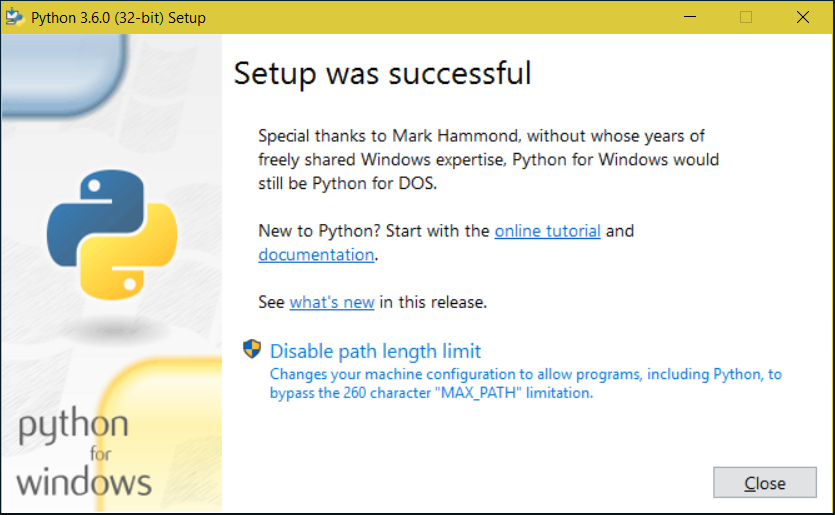
Head to the official Python website (python.org) and download the latest version—Python 3.12 or higher in 2025.
For Windows users: Run the installer, check “Add Python to PATH,” and proceed.
On Mac: Use Homebrew with brew install python or download from the site.
Linux: Most distros have it pre-installed; otherwise, use your package manager like sudo apt install python3.
Pro Tip: Always install the latest stable release to avoid deprecated features.
Choosing an IDE or Editor
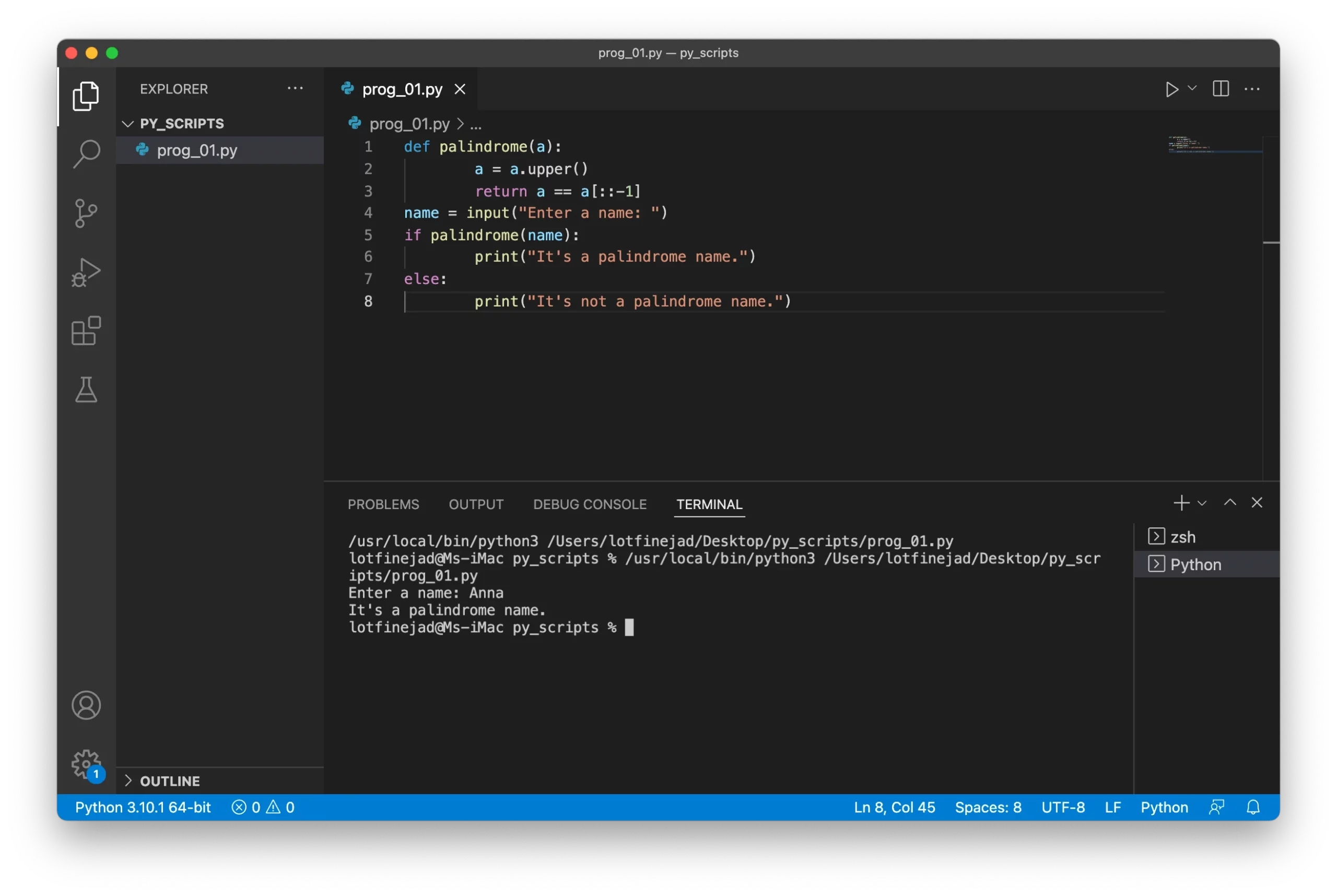
If you’re newtopy, don’t code in Notepad. Use Visual Studio Code (VS Code)—it’s free, extensible, and has Python extensions for IntelliSense and debugging.
Install VS Code, then add the Python extension by Microsoft.
Alternatives: PyCharm for full-featured IDE, or Jupyter Notebooks for data-focused work.
I started with IDLE (Python’s built-in editor), but switched to VS Code for its speed and plugins. It made debugging a breeze.
Testing Your Installation
Open a terminal or command prompt, type python –version, and hit enter. You should see the version number.
Then, type python to enter the interactive shell. Try print(“Hello, World!”)—your first program!
If issues arise, check PATH variables or reinstall. Common error: “python not recognized”—fix by adding to PATH.
With setup done, you’re ready to code.
Python Basics: Syntax and First Program
Python’s syntax is clean and intuitive, perfect if you’re newtopy.
Hello World: Your First Script
Create a file named hello.py.
Inside, write:
print("Hello, World!")Run it with python hello.py in terminal.
Boom—you’ve executed code! This simple line demonstrates Python’s straightforwardness.
Indentation and Comments
Python uses spaces (usually 4) for blocks, not braces.
Example:
if True:
    print("Indented!")
Comments start with #:
# This is a commentBold Action: Always indent consistently to avoid IndentationError—one of the first hurdles for newbies.
Variables and Assignment
No type declarations needed. Just:
name = "Alice"
age = 30
Variables are dynamic—reassign as needed.
From experience, this flexibility helped me prototype ideas quickly without boilerplate.
Data Types and Variables in Python
Understanding data types is crucial if you’re newtopy.
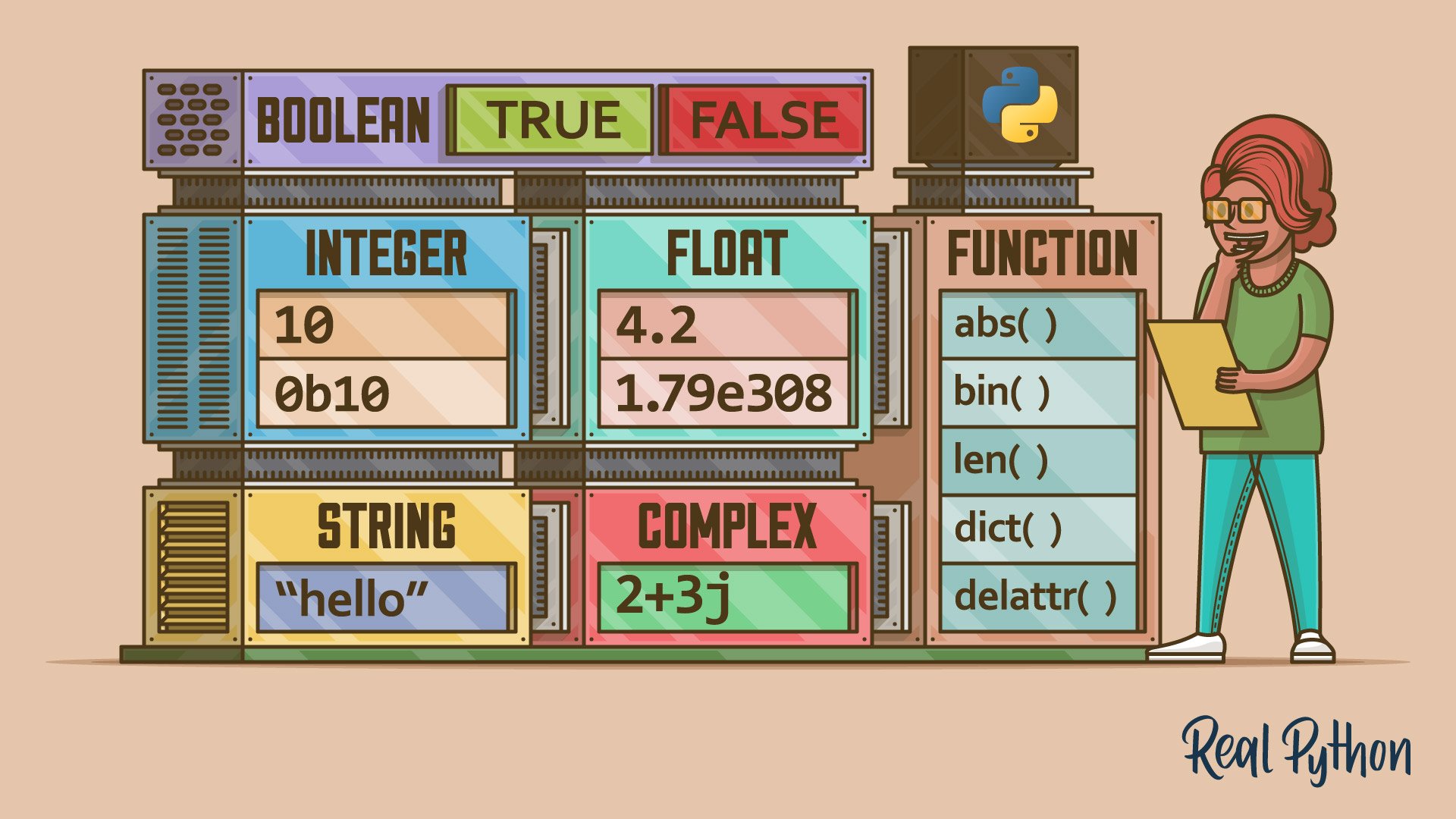
Primitive Types
- Integers: Whole numbers, e.g., x = 5
- Floats: Decimals, e.g., y = 3.14
- Strings: Text, e.g., z = “Hello”
- Booleans: True/False
Python handles big numbers seamlessly—no overflow worries.
Type Conversion
Use int(), float(), str() to convert.
Example:
num_str = "10"
num_int = int(num_str)
Common mistake: Forgetting conversion, leading to TypeError.
Variable Naming Rules
Names start with letter or underscore, case-sensitive.
Good: user_name
Bad: 1user (starts with number)
Key Insight: Use descriptive names for readability—your future self will thank you.
In a case study from my early days, poor naming caused bugs in a script; now I always use snake_case.
Operators in Python
Operators make Python tick.
Arithmetic Operators
- , – , * , / , % (modulo), ** (exponent)
Example: 2 ** 3 = 8
Comparison Operators
== , != , > , < , >= , <=
Used in conditions.
Logical Operators
and, or, not
Example: if age > 18 and name == “Alice”:
If you’re newtopy, practice these in the shell to see immediate results.
Assignment Operators
+= , -= , etc., for shorthand.
x += 1 is x = x + 1
A real-world example: In a loop counting scores, += saves lines.
Common pitfall: Confusing = (assignment) with == (equality).
Control Structures: Making Decisions and Looping
Control flow directs your program’s path.
If-Else Statements
For decisions:
age = 20
if age >= 18:
    print("Adult")
else:
    print("Minor")
Add elif for multiples.
For Loops
Iterate over sequences:
for i in range(5):
    print(i)
Great for lists.
While Loops
Repeat while condition true:
count = 0
while count < 5:
    print(count)
    count += 1
Warning: Avoid infinite loops by ensuring exit conditions.
Break and Continue
Break exits loop, continue skips iteration.
In my first game project, these helped control player turns.
If you’re newtopy, build a simple fizzbuzz to practice.
Functions: Reusable Code Blocks
Functions prevent repetition.
Defining Functions
def greet(name):
    return f"Hello, {name}!"
Call with greet(“Bob”)
Parameters and Arguments
Default params: def greet(name=”World”):
Variable args: *args, **kwargs for flexibility.
Scope and Global Variables
Local vars inside function, global outside.
Use global keyword sparingly—can lead to bugs.
From experience, functions made my code modular; I refactored a messy script into clean ones.
Lambda functions for one-liners: add = lambda x, y: x + y
Collections: Lists, Tuples, Dictionaries, Sets
Python’s built-ins for data storage.
Lists
Mutable sequences: fruits = [“apple”, “banana”]
Access: fruits[0]
Methods: append(), remove(), sort()
Tuples
Immutable: coords = (1, 2)
Good for fixed data.
Dictionaries
Key-value: person = {“name”: “Alice”, “age”: 30}
Access: person[“name”]
Sets
Unique items: unique = {1, 2, 3}
Operations: union, intersection.
If you’re newtopy, lists are your starting point—use them for shopping carts in apps.
Common mistake: Modifying lists in loops without copies.
Case study: In a data analysis task, dicts helped map user IDs to scores efficiently.
File Handling in Python
Interact with files easily.
Reading Files
with open("file.txt", "r") as f:
    content = f.read()
With statement auto-closes.
Writing Files
with open("file.txt", "w") as f:
    f.write("Hello")
Append with “a”.
Handling CSV and JSON
Example for JSON:
import json
data = {"key": "value"}
with open("data.json", "w") as f:
    json.dump(data, f)
Practical: I automated report generation by reading CSVs—saved hours weekly.
Error handling: Use try-except for file not found.
Modules and Packages
Extend Python’s power.
Importing Modules
import math
math.sqrt(16)
Standard Library Highlights
- random: For games
- datetime: Time handling
- os: File system
Third-Party Packages
Use pip: pip install requests
For web scraping or APIs.
If you’re newtopy, start with standard library before externals.
In 2025, packages like pandas dominate data work.
My tip: Create virtual environments with venv to isolate projects.
Object-Oriented Programming in Python
OOP for structured code.
Classes and Objects
class Dog:
    def __init__(self, name):
        self.name = name

    def bark(self):
        print("Woof!")
Object: my_dog = Dog(“Buddy”)
Inheritance
class Puppy(Dog):
    def play(self):
        print("Playing!")
Encapsulation and Polymorphism
Use _ for private, override methods.
OOP helped me build a simulation game—classes for entities.
Common newbie error: Not using self in methods.
Error Handling and Debugging
Bugs happen—handle them.
Try-Except Blocks
try:
    x = 1 / 0
except ZeroDivisionError:
    print("Can't divide by zero")
Finally for cleanup.
Raising Exceptions
raise ValueError(“Invalid”)
Debugging Tips
Use print() statements, or pdb module.
VS Code debugger is gold.
From my journey, learning to read tracebacks saved time.
Avoid common mistake: Ignoring exceptions, leading to silent failures.
Advanced Topics for Beginners to Explore
Once basics are down, level up.
List Comprehensions
-squares = [x**2 for x in range(10)]
Concise and efficient.
Generators
For memory-saving iterators.
def gen():
    yield 1
    yield 2
Decorators
Functions that modify others.
def decorator(func):
    def wrapper():
        print("Before")
        func()
        print("After")
    return wrapper
Async Programming
With asyncio for concurrency.
In 2025, async is key for web apps.
Don’t rush—master basics first if newtopy.
Building Projects: Hands-On Learning
Theory is good, projects are better.
Beginner Project Ideas
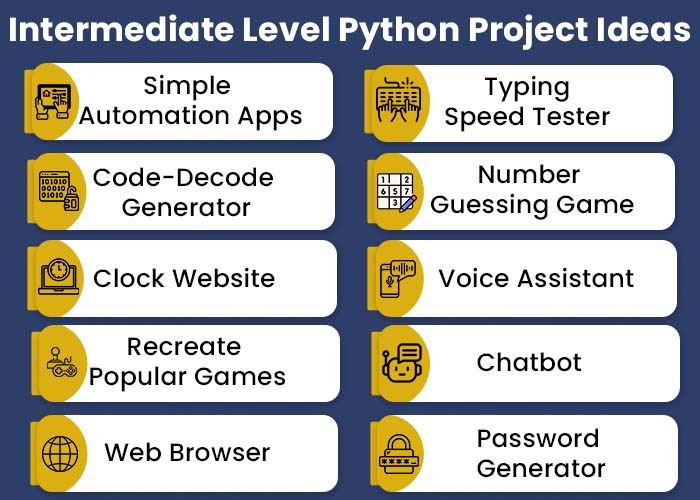
- Number Guessing Game: Use random and loops.
Code skeleton:
import random
secret = random.randint(1, 100)
guess = int(input("Guess: "))
# Add loop and checks- To-Do List App: Lists and file handling.
- Web Scraper: With BeautifulSoup—fetch news.
- Password Generator: Strings and random.
- Hangman Game: Word lists, loops.
From Dataquest, interactive games build skills fast.
I built a budget tracker as my first—tracked expenses via CSV.
Intermediate Projects
- Chatbot with NLTK
- Data Visualizer with Matplotlib
- Flask Web App
Mimo suggests 19 ideas, including AI apps.
Case Study: A beginner I mentored built a stock analyzer using polygon API—landed an internship.
Tips for Project Success
- Start small
- Use Git for version control
- Test often
- Seek feedback on Reddit
Projects solidify if you’re NewToPy.
Resources for Continued Learning
Keep growing.
- Books: “Python Crash Course” by Eric Matthes
- Online: Codecademy, freeCodeCamp
- YouTube: Corey Schafer, Sentdex
- Communities: Python.org forums, Discord
In 2025, AI tools like Grok can help debug code.
My path: Daily practice via LeetCode Python problems.
Common Mistakes to Avoid if NewToPy
Everyone errs—learn from them.
- Neglecting Fundamentals: Jump to advanced without basics.
- Poor Indentation: Causes syntax errors.
- Not Using Virtual Environments: Package conflicts.
- Overusing Global Variables: Hard to track.
- Ignoring Documentation: Python docs are excellent.
- Multiple Print in Loops: Use join() instead.
- No Type Hints: Add for clarity.
From Interserver, a cheat sheet helps avoid these.
I made #1—rewound and solidified basics.
FAQ
What if I’m completely new to programming—can I start with Python?
Absolutely! Python is designed for beginners with its simple syntax. Start with basics like variables and build up. No prior experience needed.
How long does it take to learn Python if new to it?
It varies, but basics in 1-2 weeks with daily practice. Proficiency in 3-6 months. Focus on projects for faster learning.
Is Python free?
Yes, open-source and free. Download from python.org.
What career paths open if NewToPy?
Data analysis, web dev, automation, AI. High demand in 2025.
Do I need math for Python?
Basic math helps for data/science, but not required for general programming.
What’s the difference between Python 2 and 3?
Python 3 is current; 2 is legacy. Always use 3.
How to debug if newtopy?
Use print(), try-except, and IDE debuggers. Read error messages carefully.
Conclusion: Your Next Steps if newtopy
Being newtopy is exciting— you’ve chosen a language that’s versatile, in-demand, and fun. We’ve covered setup, basics, OOP, projects, and more, with real examples and tips to avoid pitfalls.
Key takeaways: Practice daily, build projects like guessing games, and use resources like Stack Overflow. Reinforce your learning with the focus keyword in mind: if NewToPy, consistency is key.
Next step: Install Python today, write your Hello World, and tackle a simple project. You’ll be amazed at your progress. Happy coding!


2 responses to “newtopy? A Complete Beginner’s Guide to Learn Python in 2025”
[…] about it: in an era where social media algorithms favor clean content and users skim through feeds, a messy URL can kill click-through […]
[…] Educational platforms now provide personalized learning paths. AI recommends courses and resources based on user behavior, allowing learners to progress at their own pace.Internal link opportunity: newtopy […]