

Introduction
Let’s be honest – if you work with images today, you’ve probably felt that sinking feeling. The project brief lands on your desk, and suddenly you’re staring down the barrel of manually annotating 500 product photos, or trying to explain a complex medical procedure with stick figures, or wondering how a simple measurement job turned into a geometry exam.
Thank you for reading this post, don’t forget to subscribe!I’ve been there. Back in my early days as a design researcher, I once spent three straight days manually tracing objects in aerial photographs. My wrist still twitches thinking about it. That experience, more than anything, made me passionate about finding better ways to work with images.
That’s what this guide is really about. Not just another tech overview, but a practical look at how these new tools – what we’re calling Flash Image Tools – can actually change your workday. Whether you’re in healthcare, marketing, construction, or creative work, 2025 is bringing tools that feel less like software and more like competent assistants.
What Exactly Are We Talking About Here?
When I say “Flash Image Tool,” I’m not talking about a single app or gadget. I’m talking about a shift in how we approach images altogether. Remember when “photo editing” meant spending hours in Photoshop learning obscure filter combinations? Those days are fading.
Today’s tools work smarter. They understand what they’re looking at. They learn from what you need. Most importantly, they handle the tedious parts so you can focus on what matters – the judgment calls, the creative direction, the human decisions.
Take something like image annotation. If you’ve ever had to train a machine learning model you know the soul-crushing work of clicking thousands of bounding boxes. A colleague in medical research showed me her old workflow: eight hours daily for weeks, tagging cell structures in microscope images. She’d dream about tiny circles. Then she started using a smarter tool – something like what LabelStudio offers – and suddenly the AI began suggesting annotations. Her job shifted from “clicker” to “reviewer.” The work got done in a quarter of the time, and more importantly, she could actually think about the patterns she was seeing rather than just the mechanics of clicking.
That’s the real change. It’s not about replacing people. It’s about removing the barriers between your expertise and the work that needs doing.
What Can These Tools Actually Do?
The Understanding Eye
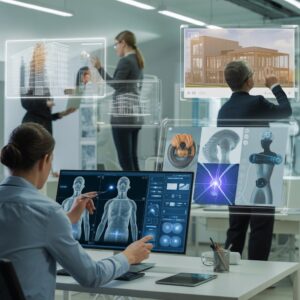
The best tools now don’t just see pixels – they recognize context. I worked with a small manufacturing company last year that was struggling with quality control. Their team was examining hundreds of circuit boards daily for tiny defects. Eye fatigue was real, and mistakes were costly. We implemented a simple AI analysis tool that learned what a “good” board looked like. Within weeks, it was flagging anomalies humans missed. The team’s job changed from “find the needle in the haystack” to “investigate the potential needles.” Their defect catch rate improved by 70%, and honestly, their job satisfaction went up too. They were solving problems instead of just staring at boards.
Making Sense of the Visual World
Segmentation tools have become surprisingly accessible. I remember when “separating an object from its background” required serious Photoshop skills. Now, tools let you simply brush over what you want to isolate. But the real game-changer is how this gets applied. A dentist friend showed me his new patient education software. Instead of trying to describe a root canal with words, he can take an X-ray, have the tool highlight the problem area in seconds, and show the patient exactly what needs to happen. “Suddenly,” he told me, “patients get it. They’re less anxious because they can see what I see.” That’s technology actually improving human communication.
Creating What You Imagine
The generative AI space moves fast. Sometimes too fast. But when used thoughtfully, it’s remarkable. I consulted with a small marketing agency that couldn’t afford custom illustration for every campaign. They started experimenting with style-based generation tools – things that could create images in specific artistic styles. Their designer, Maria, told me something interesting: “It’s not replacing my creativity. It’s like having a super-fast sketch artist. I describe the mood, we generate fifty options in minutes, and then I refine the three that are closest to right. We’re producing better work because we can experiment more.”
Turning Pictures into Data
This might sound dry, but it’s saved more businesses than any flashy feature. I think of a local archive that was digitizing decades of handwritten meeting minutes. Their volunteer was facing months of retyping everything. Then they found a conversion tool that could read the handwriting and output searchable text. The project finished in weeks instead of months. Or consider web developers using tools that convert design mockups into basic HTML structure. It’s not perfect code, but it’s the foundation. As one developer put it: “It’s like getting the frame of a house built instantly. I can focus on making it beautiful and functional instead of hammering every nail.”
Seeing What’s Really There
Comparison tools have gotten sophisticated in quiet ways. Beyond the obvious uses in security or forensics, I’ve seen biologists use them to track minute changes in plant growth over time, and art conservators compare multispectral images to see beneath the surface of paintings. The key isn’t just that they compare – it’s that they quantify the difference in ways the human eye can’t perceive consistently.
Measuring the Real World
As someone who’s terrible with a tape measure, I particularly appreciate measurement tools. A contractor I know uses a thermal imager attachment for his phone – something like what Klein Tools makes – not for dramatic reveals, but for practical daily checks. “Before drywall goes up,” he explained, “I walk through with the thermal camera. In five minutes, I can spot insulation gaps that would become energy leaks. It pays for itself in one house.” The tool isn’t magic – it just makes invisible problems visible.
Why Bother? The Real Payoff
You Get Your Time Back
This is the most immediate benefit. That manufacturing company? They reclaimed about 30 hours of skilled labor weekly. That’s nearly a full-time position worth of tedious work eliminated. But here’s what’s crucial – they didn’t lay anyone off. They redeployed that person to improving their processes. The work got more interesting, and the business got more efficient.
Fewer “Oops” Moments
Human error is real. I once misspelled a client’s brand name in an image annotation file. Five hundred times. The AI model we trained thought “Teh” was part of the official branding. Automated tools, when set up correctly, don’t get tired or distracted. They maintain consistency. In fields like medicine or engineering, that consistency isn’t just convenient – it’s critical.
Creative Breathing Room
There’s this misconception that AI tools stifle creativity. From what I’ve seen, the opposite happens. When the mechanical parts of creation get easier, people experiment more. That marketing designer Maria told me: “Before, I’d settle on my first good idea because exploring alternatives took too long. Now I can explore ten directions in the time it used to take to execute one. My work is actually more creative, not less.”
Solving Niche Problems
Some of the most impressive applications are hyper-specific. I recently learned about genealogy researchers using DNA image comparison tools to find family connections in old databases. Or carpentry instructors creating PDF guides with clear images of tools and their names for apprentices. These aren’t billion-dollar applications – they’re tools solving real problems for real people in specialized fields.
Navigating the Options
First, get crystal clear on the actual problem. Are you trying to save time on a repetitive task? Improve accuracy? Enable something new? I once had a client insist they needed “AI image generation” when what they really needed was a better way to organize their existing photo library.
Look for tools that fit into how you already work. The best technology feels almost invisible. If your team needs three days of training just to start, it’s probably the wrong tool. I’m partial to tools with clear interfaces and good documentation – something as simple as a well-organized PDF with tool names and images can make all the difference for adoption.
Test for reliability, not just flashy demos. Anyone can make a tool look good with perfect examples. The real test is how it handles your messy, real-world data. Ask for trial periods. Test with your hardest cases.
Consider the ecosystem. Who’s behind the tool? Is there active development? A community of users? Good support? I’ve seen too many businesses invest in tools from companies that vanish in a year.
Where This Is All Heading
The tools will get better at anticipating needs. We’re moving from “what do you see?” to “what might happen next?” Predictive maintenance in manufacturing, early intervention in healthcare – the pattern recognition will become forward-looking.
Collaboration will become seamless. Imagine an architect, engineer, and client all marking up and analyzing the same building image in real time from different locations, with the tool keeping track of everyone’s inputs and questions.
Specialization will continue. We’ll see more tools designed for very specific tasks – think of the difference between a general-purpose wrench and a torque wrench for precise applications. The DNA comparison tools used by genealogists will inspire similar specialized tools in other fields.
Pitfalls I’ve Seen (So You Can Avoid Them)

The biggest mistake is treating AI as an oracle rather than an assistant. I consult with healthcare providers, and I always emphasize: “The tool suggests. You decide.” There’s no substitute for professional judgment.
Another common error is buying a tool because it’s trendy, not because it solves your specific problem. That “sharper image” gadget set might look cool in the catalog, but will it actually get used on your job site?
Security and updates matter more than ever. I audited a firm using an outdated forensic imaging tool. It wasn’t just about missing new features – it was a genuine security risk for their sensitive case work. Regular updates aren’t optional anymore.
Real Changes I’ve Witnessed
A dental practice was struggling with patient anxiety. People would hear “root canal” and panic. They started using simple visual communication tools – not complex 3D animations, just clear annotated images from X-rays. The hygienist could show, not just tell. “See this dark area? That’s the infection we need to address.” Patient understanding improved dramatically. One patient told me: “For the first time, I felt like I was part of the conversation about my own teeth.”
An e-commerce business selling specialty tools was constantly finding their product photos stolen by overseas competitors. They implemented a reverse image search tool to monitor usage. But they didn’t stop there. They used what they learned to create even better, more distinctive product photography that was harder to copy. Their organic traffic grew because their images stood out in search results. The owner told me: “We turned a defensive move into an offensive strategy.”
Making It Work For You
Start with one pain point. Don’t try to revolutionize everything at once. Pick the most tedious, time-consuming image-related task and find a tool that specifically addresses it.
Combine tools when it makes sense. Sometimes the best solution uses two or three focused tools rather than one “do everything” platform. That conversion tool that turns images into tables might work beautifully alongside your existing data analysis software.
Train for understanding, not just button-pushing. Help your team understand why the tool works the way it does. When people understand the “why,” they use tools more effectively and spot when something’s not right.
Remember the source material matters. Even the best AI tool struggles with blurry, dark, or messy originals. Sometimes the best investment is better lighting or a higher-resolution camera upstream.
The Bottom Line
Here’s what I want you to take away: We’re at a point where technology can handle the “how” of image work, freeing you to focus on the “what” and “why.”
The carpenter isn’t replaced by the thermal imager – she becomes better at building energy-efficient homes. The radiologist isn’t replaced by the annotation AI – he becomes more accurate in his diagnoses. The marketer isn’t replaced by the style generator – she becomes more prolific in her campaign concepts.
The tools we have in 2025 aren’t about removing the human from the process. They’re about removing the friction between human insight and practical results. They’re about turning “I wish I could” into “Let me show you.”
The question isn’t whether these tools will change your industry. They already are. The question is whether you’ll have the ones that work for you, or be stuck with the ones that work on you.
Start with one problem. Find one tool. See where it takes you. The future of working with images isn’t about more complexity – it’s about finally getting to the good part faster.



13 responses to “Flash Image Tool 2025: The Complete Practical Guide for Professionals”
[…] with enhanced AI capabilities. In my testing, older M1 Pro models from 2021 still hold up for light creative work, but the jump to M5 feels […]
[…] Yes, core features are free. Subscription adds advanced analysis, routes, and fair competition tools. […]
[…] ditching touch gestures for reliability. In my experience, intuitive controls make or break mobile photography quick access to settings without fumbling is […]
[…] Task management is the foundation of productivity. These tools help you create, prioritize, and track to-dos. […]
[…] Table: Core Web Vitals Benchmarks […]
[…] exploration, creating spaces where you can be your authentic self without fear. It also leverages AI-powered discovery tools to suggest games based on your preferences, similar to how modern tech platforms personalize […]
[…] Automate repetitive tasks like report generation, expense tracking, and scheduling. Nimedes handles the mundane, freeing you for strategic work. […]
[…] A is a state-of-the-art A-Scan ultrasound device manufactured by DGH Technology, a company renowned for affordable, high-quality ophthalmic […]
[…] 3 is an all-in-one AI-assisted content creation platform designed to empower digital creators, influencers, and marketers. It’s the third iteration in the Meaimee series, building on […]
[…] terms like “visual storytelling platform” and “creator empowerment tools” naturally fit here, as Instablu integrates AR […]
[…] Engagement: Focuses on interaction over rivalry. Users co-create content, host events, and build lasting […]
[…] Download the App: Available on iOS and Android. Search “Serlig” in your app store. […]
[…] story begins in late 2025, when a team of tech enthusiasts and content creators noticed a gap in the market. Fans wanted more than just scrolling through feeds; they craved real […]