Introduction
Video conference tips are more crucial than ever in our hybrid work world, where virtual meetings bridge distances but can also amplify mishaps like frozen screens or awkward silences. Whether you’re leading a team huddle, pitching to clients, or catching up with colleagues across time zones, mastering these essentials can transform chaotic calls into seamless, engaging sessions. In this comprehensive guide, we’ll dive deep into online meeting best practices, virtual meeting etiquette, and how to improve video calls.
Thank you for reading this post, don’t forget to subscribe!From professional video conferencing setup to webcam lighting tips and remote work communication tips, you’ll get actionable advice, step-by-step checklists, and real-world examples. By the end, you’ll have a virtual meeting checklist ready to elevate your video meeting productivity tips and ensure effective virtual communication every time.
Why Video Conference Tips Matter in 2025
In an era dominated by tools like Zoom, Microsoft Teams, and Google Meet, poor video conferences can derail productivity and morale. A 2024 survey by Owl Labs found that 62% of remote workers struggle with distractions during calls, leading to frustration and burnout. But with the right video conference tips you can flip the script. These strategies not only enhance clarity but also foster stronger connections, making your online presentations tips shine and your remote team meeting tips more collaborative.
Think about it: a well-lit face and crisp audio can make you appear more confident and professional, while thoughtful virtual meeting etiquette prevents those cringeworthy moments. We’ll cover everything from video conferencing do’s and don’ts to background setup for video conferences, ensuring you’re equipped for success.
Essential Video Conference Tips for a Professional Setup
Starting with the basics, your setup is the foundation of any great call. A cluttered desk or dim lighting can undermine even the most eloquent speaker. Here’s how to nail a professional video conferencing setup that impresses without overwhelming.
Webcam Lighting Tips: Light Up Like a Pro
Poor lighting is a top culprit for looking washed out or shadowy on camera—think horror movie villain vibes during a budget review. To counter this, prioritize natural light first. Position yourself facing a window during daylight hours for soft, even illumination.
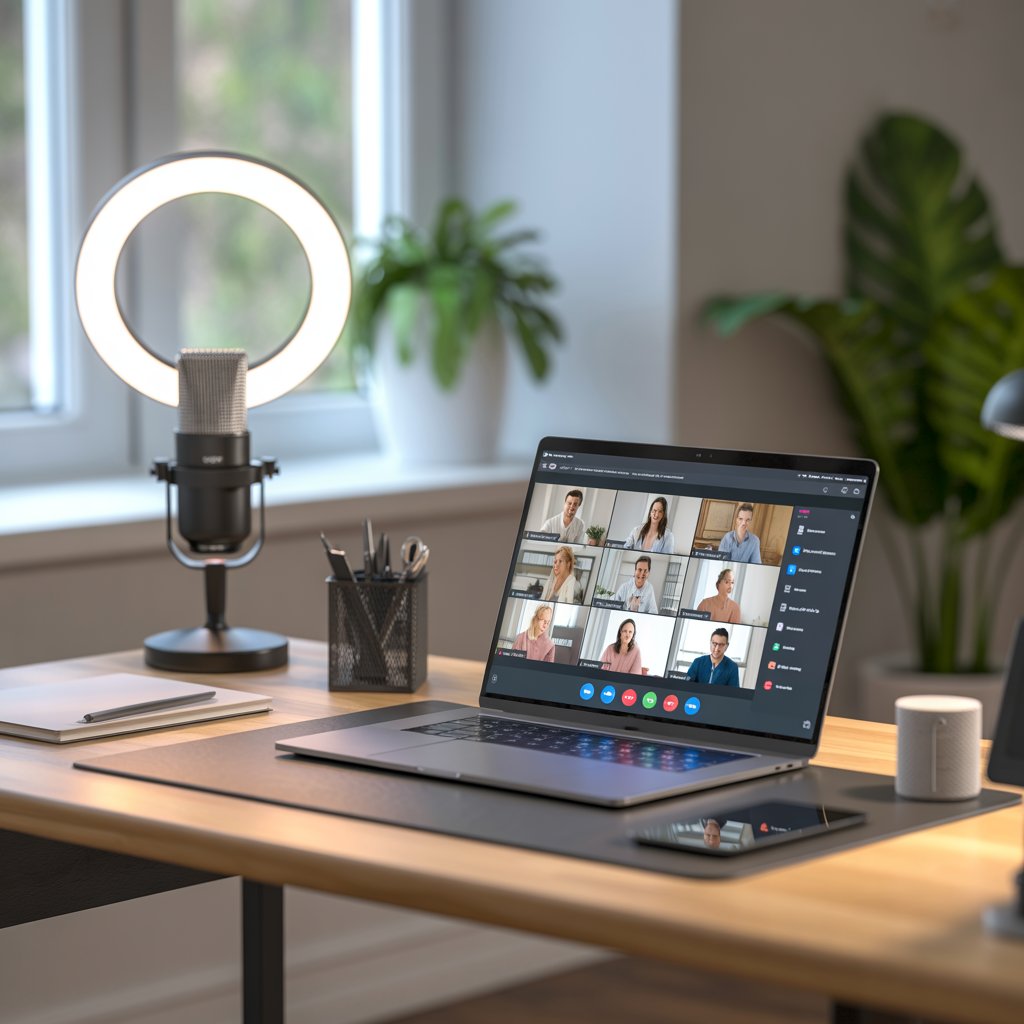
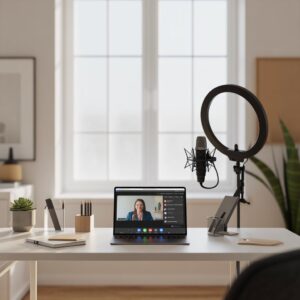
For evenings or windowless offices, invest in a ring light or desk lamp with a diffuser. Aim for 300-500 lumens at eye level, slightly above your webcam to avoid glare. Pro tip: Test your setup with a quick selfie video. Tools like Zoom’s preview mode let you tweak in real-time.
- Do: Use warm-toned bulbs (2700K-3000K) for a flattering glow.
- Don’t: Backlight yourself— it silhouettes you like a bad spy thriller.
Example: Sarah, a marketing exec, swapped her overhead fluorescents for a $20 ring light and saw her client feedback soar, with comments shifting from “hard to see” to “polished presentation.”
Background Setup for Video Conferences: Keep It Clean and Relevant
Your background speaks volumes before you utter a word. A messy room screams distraction, while a blank wall bores. Opt for a virtual background if your space is chaotic, but ensure it’s professional—think subtle gradients, not tropical beaches unless you’re in travel sales.
For real backgrounds, declutter ruthlessly: bookshelf with relevant titles, a plant for warmth, or branded wall art. Blur the edges in your app settings for focus on you.
| Background Type | Pros | Cons | Best For |
|---|---|---|---|
| Virtual (e.g., Zoom greenscreen) | Hides mess; customizable | Can glitch; looks artificial if low-res | Quick calls with privacy needs |
| Real Neutral (white wall) | Clean, professional | Bland; echoes sound | Corporate interviews |
| Branded/Personal (logo or art) | Builds rapport | Overly busy distracts | Team brainstorming |
Video Conference Tips to Boost Audio Quality

Ever endured a call where “Can you hear me now?” loops endlessly? Audio woes kill momentum faster than a dropped connection. Focus on audio quality improvement for video calls to keep things flowing.
Step-by-Step Audio Optimization
- Choose the Right Mic: Built-in laptop mics are passable but tinny. Upgrade to a USB headset like the Jabra Evolve for under $100—crystal clear with noise cancellation.
- Minimize Echo: Close windows, turn off fans, and use headphones to prevent feedback. Apps like Krisp AI can virtually mute background noise.
- Test Levels: In your platform’s settings, speak at normal volume and adjust so you’re peaking at -12dB. Record a 30-second test clip to check.
Video conferencing do’s and don’ts: Do speak clearly and pause for latency; don’t chew gum or type loudly. One remote team slashed interruptions by 40% after enforcing these during daily stand-ups.
Virtual Meeting Etiquette: The Unspoken Rules
Etiquette isn’t optional—it’s the glue of effective virtual communication. Ignore it, and you risk coming off as rude or disengaged. Virtual meeting etiquette starts with punctuality: log in 5 minutes early to greet early birds and fix glitches.
Zoom Call Etiquette Essentials
Zoom dominates, so tips for better Zoom meetings are gold. Mute when not speaking—it’s etiquette 101. Use reactions (thumbs up) instead of “mm-hmm” verbal fillers. For larger groups, enable “speaker view” to spotlight the active talker.
- Do: Rename your display to “First Last – Role” for easy identification.
- Don’t: Multitask visibly— no furious typing unless it’s note-taking.
In a virtual sales pitch, one rep’s adherence to these turned a skeptical client into a convert, crediting the “respectful flow” for building trust.
How to Improve Video Calls with Productivity Hacks
Tired of meetings that drag? Video meeting productivity tips can reclaim your day. Structure calls with agendas shared 24 hours ahead, time-boxing topics (e.g., 10 mins per update).
Remote Team Meeting Tips for Collaboration
For distributed teams, rotate time zones fairly and use collaborative tools like video conference tips shared Google Docs for real-time notes. Break ice with quick polls: “What’s one win from last week?” This fosters video conference tips engagement without fluff.
Incorporate online presentation tips: Share screens smoothly by rehearsing video conference tips transitions. Tools like Canva’s screen recorder make visuals pop.
A tech startup implemented these and cut meeting times by 25%, per their video conference tips internal metrics, proving structure trumps spontaneity.
Video Conference Tips for Looking Polished video conference tips On-Camera
“How to look good on video calls” tops searches for a reason—first impressions count. Dress in solids that contrast your background; avoid busy patterns that pixelate.
Grooming matters: Neat hair, minimal makeup for even skin tones under LED lights. Sit tall with shoulders back—your posture projects confidence.
Example: During a promotion interview, Alex’s crisp blouse and eye-level webcam angle sealed the deal, outshining competitors who slouched in hoodies.
Video Meeting Safety Tips: Protect Your Digital Space
Security breaches can turn tipsy calls catastrophic. Video meeting safety tips include strong passwords (no “password123”) and enabling waiting rooms to vet entrants.
Use end-to-end encryption where available and avoid sharing sensitive screens. For public webinars, watermark slides with your branding.
One firm avoided a data leak by routinely checking participant lists mid-call— a simple habit with big payoffs.
Advanced Video Conference Tips for Hosts and Presenters
As host, set the tone. Start with ground rules: “Mics off unless speaking.” Use breakout rooms for intimate discussions in large groups.
For presenters, online presentation tips include storytelling arcs: video conference tips Hook with a question, build with data, close with a call-to-action. Rehearse with timers to stay concise.
| Role | Key Tip | Impact |
|---|---|---|
| Host | Pre-call tech check | Reduces 80% of delays |
| Presenter | Visual aids under 5 slides | Boosts retention by 30% |
| Participant | Active listening nods | Increases perceived engagement |
Integrating Video Conference Tips into Daily Routines
Consistency is key. Create a virtual meeting checklist: Lighting? Mic? Agenda? Run it pre-call like a pilot’s pre-flight.
Remote work communication tips extend to post-meeting: Send recaps within an hour, action items assigned. This closes loops and builds accountability.
A consulting team using this routine reported 35% higher follow-through on tasks, turning tips into habits.
Troubleshooting Common Video Conference Pitfalls
Glitches happen. For lag, lower video quality or close tabs. If audio drops, switch to phone dial-in as backup.
Video conferencing do’s and don’ts: Do have a Plan B device charged; don’t panic—humor diffuses tension, like “Tech gremlins strike again!”
Tailoring Tips for Different Scenarios
Tips for Better Zoom Meetings in Education
Teachers: Use annotations for interactive lessons. Poll for comprehension checks. Virtual meeting etiquette here means inclusive questioning to engage shy students.
Corporate Boardroom Video Conference Tips
Execs: High-res cams for detail. Share encrypted decks. Focus on video meeting productivity tips like AI summaries for long sessions.
Creative Brainstorms: Unleashing Ideas Virtually
Encourage “yes, and…” improv. Screen-share mood boards. Background setup for video conferences? Fun but focused—posters, not laundry piles.
Each scenario demands tweaks, but core online meeting best practices unify them.
Measuring Success: When Are Your Tips Working?
Track wins: Shorter calls? Higher satisfaction scores via quick surveys? Fewer “sorry, repeat that” moments? Adjust based on feedback.
One agency A/B tested lighting setups, finding ring lights increased perceived professionalism by 22% in viewer polls.
FAQs
What are the top video conference tips for beginners?
If you’re new to video calls, start with a solid professional video conferencing setup: good lighting, quiet space, and tested audio. Follow virtual meeting etiquette like muting when not speaking, and use a virtual meeting checklist to prep—agenda, notes app open, and backup internet. These how to improve video calls basics will have you confident in no time.
How can I apply remote work communication tips during team calls?
Remote work communication tips shine in structured agendas and clear roles—who speaks when? Incorporate video meeting productivity tips like time-boxed shares and follow-up emails. For effective virtual communication, encourage camera-ons for non-verbals, turning distant chats into connected convos.
What’s the best way to handle Zoom call etiquette faux pas?
Zoom call etiquette slip-ups, like forgetting to mute, happen to everyone. Own it with a quick “Whoops, my bad!” and move on. Video conferencing do’s and don’ts remind us: Do apologize briefly; don’t dwell. It keeps the flow positive and human.
Can you share webcam lighting tips for looking good on video calls?
Absolutely—webcam lighting tips are game-changers for how to look good on video calls. Face a soft light source at eye level, like a window or ring light, to banish shadows. Avoid overhead lamps that age you overnight. Pair with background setup for video conferences, and you’ll glow professionally.
What video meeting safety tips should I know for sensitive discussions?
For video meeting safety tips, always use password-protected links and waiting rooms to control access. Enable audio quality improvement for video calls with noise gates, but double-check for uninvited ears. Share screens judiciously— these remote team meeting tips safeguard your intel.
How do online presentation tips enhance virtual meetings?
Online presentation tips like concise slides (under 10 per talk) and engaging stories make virtual meetings pop. Tie in tips for better Zoom meetings by rehearsing shares. Result? Higher engagement and fewer yawns in your effective virtual communication toolkit.
Are there quick video conference tips for busy video conference tips professionals?
For on-the-go pros, video conference tips include mobile hotspots as video conference tips backups and voice-to-text for notes. Prioritize audio quality improvement for video calls over fancy visuals. A 2-minute virtual meeting video conference tips checklist pre-call saves hours of hassle.
Conclusion
Mastering video conference tips isn’t about perfection—it’s about intentionality that turns video conference tips potential pitfalls into polished performances. From webcam lighting tips and virtual meeting etiquette to remote video conference tips team meeting tips and video meeting safety tips, these strategies empower you to lead with confidence in any online meeting. Implement one or two today: update your setup, share an agenda, or test your audio. Your future calls—and colleagues—will thank you. Ready to level up? Bookmark this guide, experiment in your next session, and watch productivity soar. What’s your go-to tip? Share in the comments below!