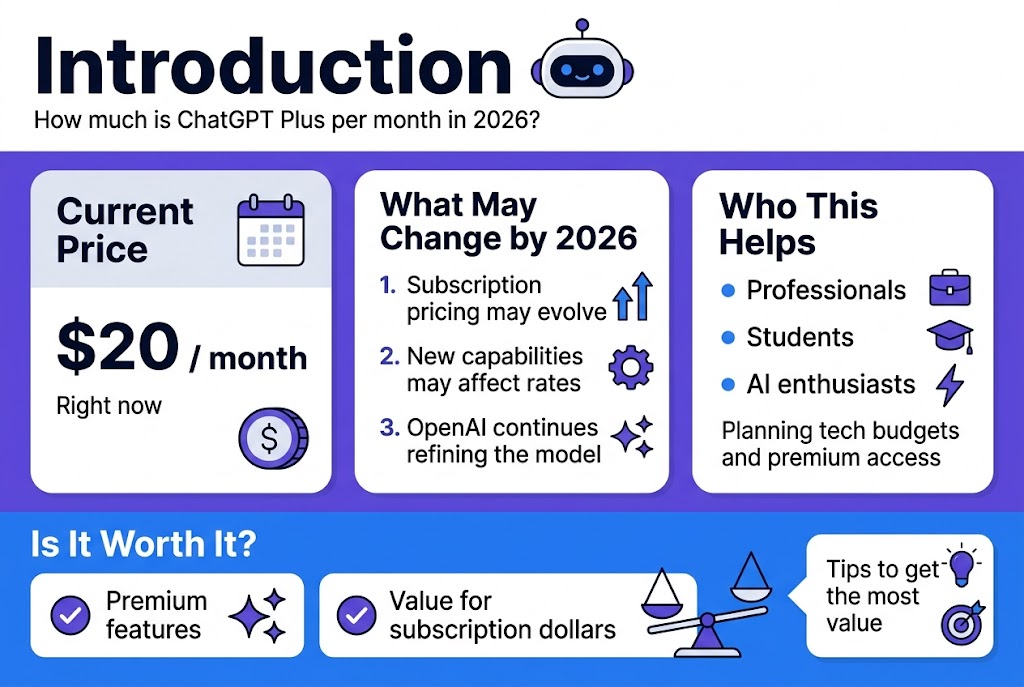
If you’re wondering how much is ChatGPT Plus per month 2026, the standard ChatGPT Plus subscription costs $20 per month when purchased through ChatGPT. It is billed monthly, and OpenAI does not currently offer an annual billing option for Plus.
Thank you for reading this post, don’t forget to subscribe!But price is only part of the decision. The more important question is what you actually get for that $20 and whether ChatGPT Plus is worth paying for compared with the Free plan.
In this guide, we’ll cover the current ChatGPT Plus price, what is included, usage limits, billing, regional currencies, API costs, and who should consider upgrading.
ChatGPT Plus Price in 2026
ChatGPT Plus costs $20 per month.
OpenAI currently lists Plus at $20/month with monthly billing. The subscription provides broader access to models and tools than the Free plan, along with priority access during periods of high demand.
| ChatGPT Plus Detail | Current Information |
|---|---|
| Monthly price | $20/month |
| Billing | Monthly |
| Annual plan | Not currently available |
| Priority access | Yes |
| Higher usage limits | Yes |
| Advanced reasoning | Available |
| Image generation | Included |
| File uploads and analysis | Included |
| Voice conversations | Included |
| Deep Research | Available where supported |
| API usage | Not included |
The exact models, tools, and usage limits available to Plus users can change as OpenAI updates ChatGPT. For that reason, your account’s model picker is the best place to check the features currently available to you.
What Do You Get With ChatGPT Plus?
ChatGPT Plus is designed for people who need more than occasional AI assistance.
Compared with the Free plan, Plus provides broader access to models and tools and higher usage limits. OpenAI also lists faster responses and priority access during high-traffic periods among the benefits.
1. Higher Usage Limits
One of the biggest reasons people upgrade is simply being able to use ChatGPT more.
Plus users generally receive higher limits than Free users, although the exact limits can vary depending on the model, tool, and current system conditions. OpenAI notes that usage caps can change, particularly when demand is high.
This makes Plus more useful for people who use ChatGPT throughout the day rather than only a few times a week.
2. Advanced Reasoning
ChatGPT Plus provides access to advanced reasoning options available to the account.
These capabilities are particularly useful for tasks that require multiple steps, such as:
- Complex research
- Coding
- Data analysis
- Planning
- Document work
- Problem solving
- Detailed writing and editing
The exact models available can change over time, so it is better to describe Plus in terms of broader access rather than promising access to one permanent model.
3. Faster Responses
Plus users can receive faster responses compared with the Free experience.
This matters more if you use ChatGPT for professional work. Waiting for responses several times during a long workflow can become frustrating, while faster interaction makes it easier to research, write, edit, and analyze information continuously.
4. Image Generation
Image generation is included among the expanded ChatGPT Plus features.
You can use ChatGPT for tasks such as:
- Creating visual concepts
- Generating illustrations
- Designing marketing ideas
- Creating social media visuals
- Developing presentation concepts
- Editing or transforming supported images
Availability and limits can vary, so users should check their current ChatGPT interface for the tools available to their account.
5. File Uploads and Analysis
ChatGPT Plus also supports file uploads and analysis.
This can be useful when working with:
- PDFs
- Documents
- Spreadsheets
- Reports
- Data files
- Images
Instead of copying large amounts of information into a conversation manually, you can upload supported files and ask ChatGPT to analyze or summarize them.
6. Voice Conversations
Voice conversations are another feature available with ChatGPT Plus.
This can be useful when you want to interact with ChatGPT without continuously typing, particularly for brainstorming, learning, or hands-free conversations.
7. Deep Research
Deep Research tools are also available where supported.
For research-heavy users, this can be one of the more useful reasons to consider Plus because it extends ChatGPT beyond simple question-and-answer conversations.
Availability can depend on the account, rollout, and applicable usage limits.
ChatGPT Free vs Plus in 2026
The biggest difference isn’t simply that Plus is “better.” The practical difference is how much access you get to ChatGPT’s models and tools.
| Feature | ChatGPT Free | ChatGPT Plus |
|---|---|---|
| Cost | Free | $20/month |
| Model access | Limited | Broader access |
| Usage limits | Lower | Higher |
| Advanced reasoning | Limited/varies | Expanded access |
| Response speed | Standard | Faster |
| Image generation | Available with limits | Expanded access |
| File uploads | Available with limits | Expanded access |
| Voice | Available with limits | Expanded access |
| Deep Research | Limited/varies | Expanded access |
| Priority during high demand | No | Yes |
Because OpenAI changes models and limits over time, this table should be viewed as a general comparison rather than a permanent list of model names.
Is There an Annual ChatGPT Plus Plan?
No.
As of 2026, OpenAI says ChatGPT Plus does not support annual billing or paying for multiple months in advance. The standard Plus subscription is billed monthly.
That means if you keep Plus for an entire year at the standard $20 monthly price, the basic subscription cost would be:
$20 × 12 = $240 per year
This calculation does not account for taxes, currency conversion, promotions, or localized pricing.
Can You Pay for ChatGPT Plus in Local Currency?
Yes, depending on your location and payment method.
OpenAI supports localized billing currencies for ChatGPT subscriptions, including PKR for Pakistan. The exact amount shown at checkout can therefore differ from simply converting $20 using the current exchange rate.
If you’re in Pakistan, the safest way to know the amount you’ll actually be charged is to check the price shown on your ChatGPT checkout screen before confirming the subscription.
Is ChatGPT API Included With Plus?
No.
This is an important distinction that many users miss.
Your ChatGPT Plus subscription and OpenAI API usage are separate. Paying $20/month for ChatGPT Plus does not give you API credits. API usage is billed independently.
For example, subscribing to Plus does not automatically give you a balance that you can use to build an external application through the API.
Who Should Buy ChatGPT Plus?
ChatGPT Plus can make sense if you use AI regularly for work, study, research, or creative projects.
Content Writers
If you regularly research topics, create outlines, rewrite content, edit articles, or analyze documents, higher usage and broader tool access can make Plus useful.
SEO Professionals
SEO professionals can use ChatGPT for:
- Keyword research assistance
- Content outlines
- Search-intent analysis
- Content optimization
- Meta descriptions
- Title ideas
- Competitor-content analysis
- Technical explanations
However, ChatGPT should support your SEO workflow rather than replace actual search data from tools such as Google Search Console, Google Analytics, Ahrefs, or Semrush.
Developers
Developers can use ChatGPT for coding assistance, debugging, planning, documentation, and explaining technical concepts.
The value becomes greater when you use AI repeatedly throughout a development workflow.
Students and Researchers
Students can use ChatGPT for explanations, brainstorming, study assistance, document analysis, and research workflows.
However, important academic claims should still be checked against reliable sources.
Business Professionals
If you regularly create reports, analyze information, prepare documents, brainstorm ideas, or communicate with customers and teams, the additional access can save time.
Who Probably Doesn’t Need ChatGPT Plus?
You don’t necessarily need Plus if you only use ChatGPT occasionally.
For example, if you use ChatGPT once or twice a week for:
- Simple questions
- Basic translations
- Short explanations
- Occasional brainstorming
- Casual conversations
the Free plan may already be enough.
The upgrade becomes more compelling when ChatGPT is part of your daily workflow.
Is ChatGPT Plus Worth $20 a Month?
For frequent users, it can be worth it.
The easiest way to evaluate the subscription is not to ask whether $20 is cheap or expensive. Ask whether ChatGPT saves you at least $20 worth of time or provides enough additional value during the month.
For example, suppose you use ChatGPT for work and it saves you several hours every month on research, writing, analysis, or other repetitive tasks. In that situation, $20 may represent a relatively small expense compared with the time saved.
On the other hand, if you barely use ChatGPT, paying $20 every month may not provide much value.
What Happens If You Reach a Usage Limit?
ChatGPT Plus does not mean unlimited use of every model and feature.
OpenAI states that Plus subscriptions may have usage limits, including message caps, and those limits can change depending on system conditions and demand.
Therefore, be careful with websites that describe ChatGPT Plus as offering completely unlimited access to everything.
The more accurate description is expanded access with higher limits, not unlimited access to every feature.
How to Subscribe to ChatGPT Plus
Upgrading is straightforward.
- Sign in to your ChatGPT account.
- Open your profile menu.
- Select Upgrade Plan.
- Choose Get Plus.
- Review the price shown at checkout.
- Complete the payment.
OpenAI’s current help documentation lists these steps for subscribing to Plus.
Can You Cancel ChatGPT Plus?
Yes.
You can manage your subscription through your ChatGPT account settings. OpenAI also provides options to view invoices and cancel the subscription.
If you cancel, the timing and access associated with your current billing period depend on the applicable subscription terms.
Frequently Asked Questions
How much is ChatGPT Plus per month 2026?
ChatGPT Plus is currently $20 per month, billed monthly.
Is ChatGPT Plus $20 every month?
Yes. The standard Plus price is $20/month, with monthly billing. Localized pricing, taxes, or other checkout factors can affect the amount shown in some regions.
Does ChatGPT Plus have an annual plan?
No. OpenAI currently does not offer annual billing for ChatGPT Plus.
Is API access included with ChatGPT Plus?
No. ChatGPT Plus and API usage are billed separately.
Is ChatGPT Plus worth $20 a month?
It can be worth it if you use ChatGPT frequently for work, research, coding, writing, analysis, or other demanding tasks. Occasional users may find the Free plan sufficient.
Can I pay for ChatGPT Plus in Pakistan?
OpenAI lists PKR among the supported currencies for ChatGPT web subscriptions. The actual amount should be checked at checkout because localized pricing and billing conditions can apply.
Does ChatGPT Plus include image generation?
Yes. Image generation is among the expanded features available with ChatGPT Plus, subject to the applicable limits and availability on your account.
Does ChatGPT Plus include file analysis?
Yes. Plus includes expanded access to file uploads and analysis.
Final Verdict
So, how much is ChatGPT Plus per month 2026?
The answer is $20 per month for the standard ChatGPT Plus subscription. It is billed monthly, and OpenAI currently does not offer an annual Plus plan.
The real value of Plus comes from its broader access to models and tools, higher usage limits, faster responses, priority access, image generation, file analysis, voice features, and other capabilities.
If you use ChatGPT occasionally, the Free plan may be enough. But if you rely on ChatGPT regularly for writing, research, coding, SEO, business work, or data analysis, the additional access can make the $20 monthly subscription worthwhile.
Because OpenAI regularly changes models, features, and usage limits, it’s a good idea to check the official pricing and help pages before purchasing rather than relying on an old comparison or outdated article.